Showing posts with label Microsoft. Show all posts

Sunday, June 24, 2018

How to join an account to the domain

Hello everyone, Today we will join an account to the domain 

first step is open network and sharing center, by right click on the Ethernet icon,


Click on Details,


 Take a note of your IP 


Click on close, and open properties,


open IPv4,

Setup your IP and mask and put in the gateway the domain's IP and in DNS server the domain's IP too,


Ping the domain,


Right click on the windows icon, 


Put a name to the PC and write the domain name,


Name and password of a user or admin is already existed in the DC,


And that's it 
I hope it was helpful for you

Saturday, June 23, 2018

How to configure an active directory

Hello everyone, today I will configure active directory ( Domain controller) DC, step by step

Open the server manager,


Before we doing any thing we should set the IP to static so, open network and sharing center,


Click the detils to see your IP and mask and the gateway


Take a note for them,


And now click on properties to write your IP


Click next,


 Next,


Check your IP and click next,


 Select the role, and click next, 


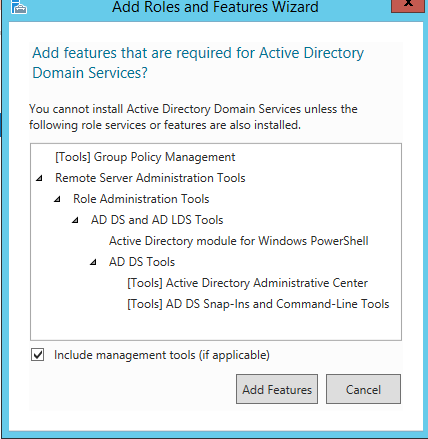
Click add features,


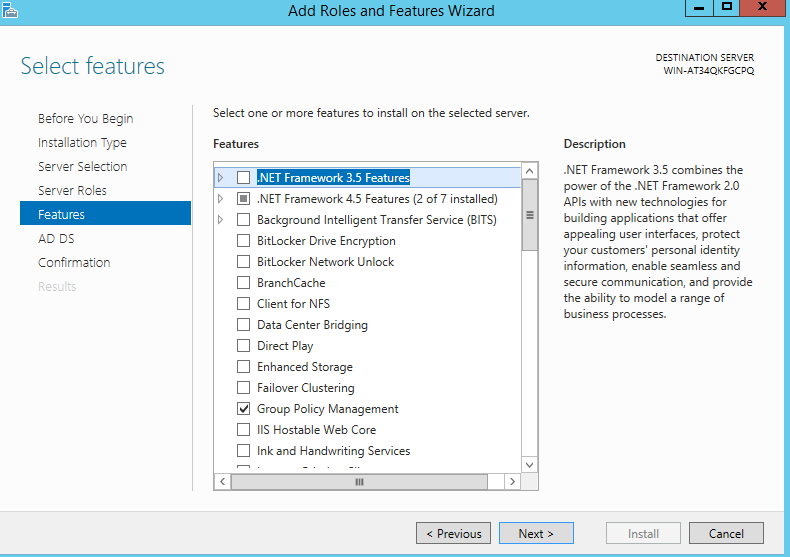
 Next,


 Next,

Next,


Click yes and it end you should restart your server, and then install


The installation succeeded. and click close,


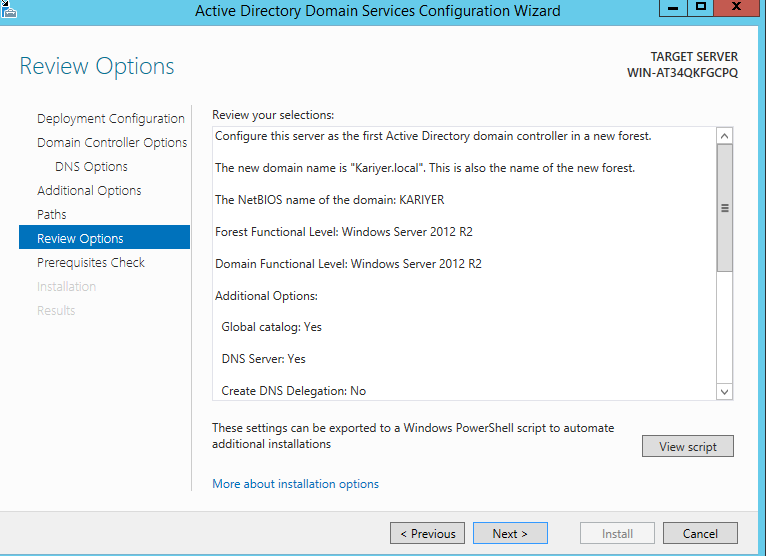
 You should give the domain name and forest name


Set your password


Next,


Next,


Next,


Next,


The installation is end it will restart itself,


Enter your password


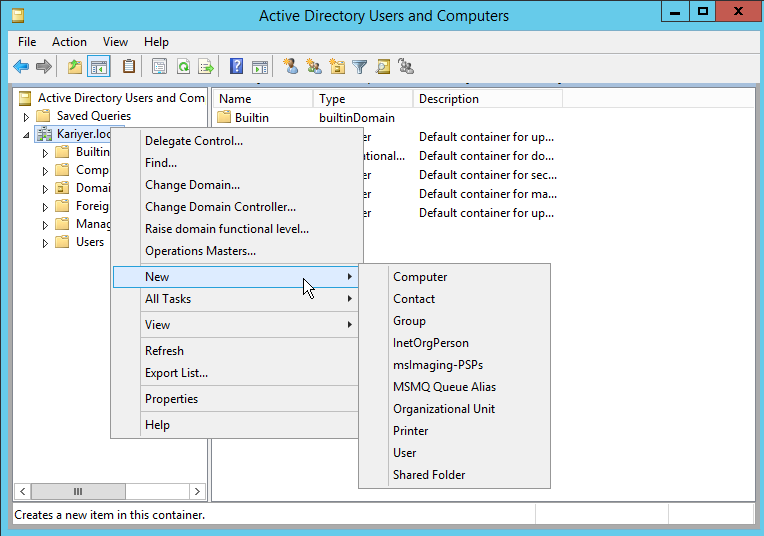
To add a user, computer, group or OU


Right click and add what you want 


I wish it was helpful for you, follow me for more


Monday, May 14, 2018

How to connect the USB to virtul machine

hello readers, 

I writing this post because i had this problem and every one cloud be faced with it, simply you should check if had installed the USB controller to your machine, and when doing that make sure that your machine is off.
we notice that in the upper part there is no USB so click on add and add it.


choose USB controller


and now you able to access the USB


i wish it was helpful, follow me for more.